How can we help?

Support, Docs, and Community for ChatWall.

πŸš€ Getting Started

1

Download and install ChatWall extension

(Available in the Chrome Web Store)

Download Browser Extension
2

Open a Chat AI website

The extension works on:

ChatGPT Gemini Claude Grok Copilot DeepSeek

3

Open the ChatWall Browser Extension

Click the ChatWall button appearing on the chat input field.

A — Inline mode
Mask with ChatWall
Type prompt here...
B — Editor mode
Type prompt here...
4

Configure the Extension

Open the ChatWall menu at the top of the page (ChatGPT, Gemini, Claude…)

ChatWall
Mode
Inline Masking
Integrated inline overlay
Editor Masking
Full masking editor
Always-On
Open overlay on focus

Account
My Account
Sign in or manage
Enter License Key
Activate Premium

ChatWall v2.x · Free
  • Toggle Inline Masking or Editor Masking modes on/off.
  • Enable Always-On to open the inline overlay automatically when you click the input.
  • Click My Account to sign in and manage your subscription.
  • Click Enter License Key to activate your Premium license.
Manage Subscription →
πŸ“§

Product Support

For technical issues, extension help, and general inquiries.

[email protected]
πŸ’Ό

Corporate & Sales

For enterprise licenses, partnerships, and billing.

[email protected]
🐞

Report a Bug

Found a glitch? Report it on our GitHub repository.

Open Issue →
πŸ“š

Documentation

Learn how to mask, unmask, and configure ChatWall.

View Docs →
❓

FAQ

Common questions about billing and security.

Read FAQ →

ChatWall Extension Documentation

Frequently Asked Questions

Are you reading my data?

No. All processing happens locally in your browser. We are fully transparentβ€”you can audit our code on GitHub to verify that we do not read, store, or transmit your private chat logs.

Why are some tokens not unmasked?

ChatWall is designed for maximum privacy and does not persist your sensitive data permanently. Keys are stored in your active session, meaning old conversations cannot be unmasked once the session mapping is cleared or lost. This ensures your data doesn't linger.

Why are some names or data not detected?

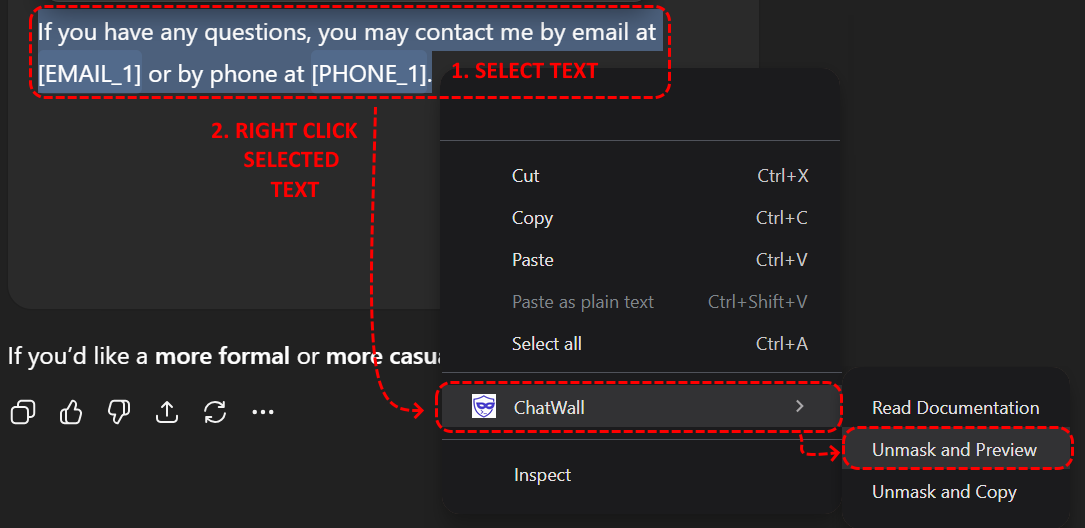
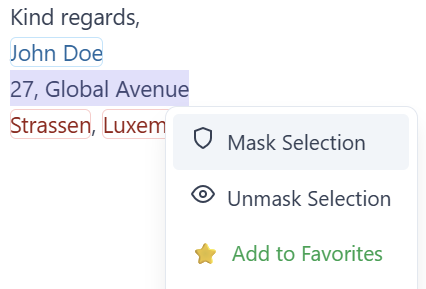
ChatWall acts as a privacy assistant using advanced detection, but it is not infallible. If sensitive data is missed, you can Mask Manually (right-click) or add the term to your Favorites to ensure ChatWall learns to catch it every time.

How do I report a bug?

We appreciate your help improving ChatWall! You can report issues directly on our GitHub Repository or email us at [email protected].