1. The Core Principle: Zero Data Collection
ChatWall is designed with a "Local-First" architecture. We do not collect, store, or transmit the content of your chats. All masking and anonymization processes occur locally on your device (for the ChatWall Extension & ChatWall Sandbox) or within your private infrastructure (for the ChatWall Box).
Why Local Processing Matters
Why is it important to mask locally?
Some anonymization tools send your data to remote servers to mask it. This means you have to fully trust the service and if the remote server is compromised, your original sensitive data — names, emails, IBANs — can be seen and exploited. ChatWall takes a fundamentally different approach: all masking happens inside your browser, so your original data never leaves your machine.
Why is it important to mask in another window?
Masking your data outside the chat input field is essential to prevent data leaks. The chat website can technically access everything you type in its input fields before you even send your message — through JavaScript event listeners, keyloggers, or telemetry scripts. When you type in the ChatWall overlay (closed mode), your text is entered in an isolated extension window that the host website's scripts cannot access. Only the already-masked version is ever pasted into the chat, ensuring your original private data is never exposed to the website.
2. Browser Extension Data
When you use the ChatWall Chrome/Edge Extension:
- Processing: Your data stays on your device. We process everything right here in your browser, so your text never leaves your computer to go to our servers. Text analysis is performed locally via client-side JavaScript. No payload is ever transmitted to our backend.
- Ephemeral Tokens: Temporary by design. The
"decoder key" that remembers who is who (like
[NAME_1]= 'John') exists only while you are using the page. Close your browser, and it’s gone forever. Token mapping tables are stored strictly insessionStorage(memory). They are wiped instantly upon browser termination. - Secure Sandbox: A private workspace. You type in a secure bubble that sits on top of the website. The AI website (like ChatGPT) literally cannot see what you are typing inside this bubble. The overlay operates within an isolated Shadow DOM container preventing the underlying host page from accessing input events or value changes.
- Secure Favorites: Custom favorite terms are stored locally in Chrome Storage (base64 encoded) to persist across sessions. They are not synced to the cloud. Warning: As favorite data is stored locally, there is a risk on public computer or if your computer is compromised. Do not add sensitive data to favorites if you are not confident in your device's security.
- License Validation: The extension periodically contacts our licensing server to verify your subscription status (Free vs. Pro). This handshake transmits only your installation ID and license key. No chat content or PII is transmitted during this check.
- Transparency: Our extension code is "Source Available". Security teams and technical users can audit the code on GitHub to verify our claims.
- Verify Extension (Service Worker): To
verify the extension, open
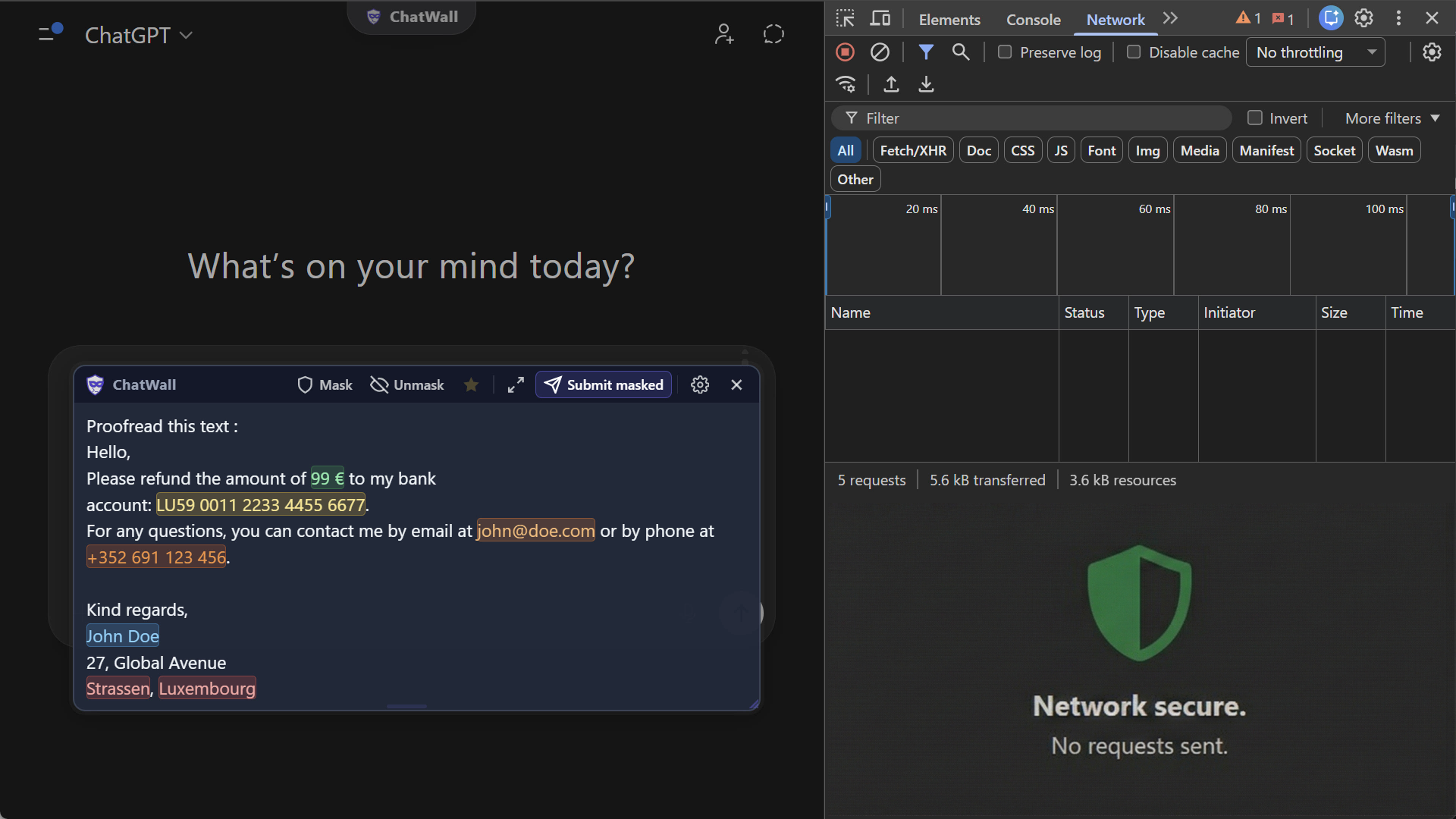
chrome://extensions, access details of ChatWall extension, click on service worker. The Network Tab will show that no chat content is transmitted. The only external request is a periodic license check. - Verify Sandbox (Browser DevTools): To verify the sandbox, open your browser's Developer Tools in the Sandbox window (F12 or Right-Click > Inspect). In the Network Tab, you can verify that typing and masking text triggers zero network requests. All processing occurs in your browser's memory.
3. ChatWall Box (On-Premise)
The ChatWall Box is a Docker container deployed on your own servers.
- Data Sovereignty: All logs and audit trails are stored locally on your server volume. StarObject S.A. has no access to this instance.
- Open Components: Frontend is OSS. Backend is isolated.
- License Check: The Enterprise container performs a periodic "heartbeat" check to our license server to validate your subscription. No PII or chat content is transmitted during this check.
4. Account & Payment Data
Stripe handles payments. We validate licenses only.
5. Contact & Owner Info
For any privacy inquiries, please contact:
StarObject S.A.
Email: [email protected]
Rue Jinken, 9
L-9909 Troisvierges, Luxembourg